Most people stopped asking Siri serious questions years ago, and honestly, that made sense. But the Siri AI upgrade in iOS 27 is a different story.
This is not a small patch. Siri got a full rebuild. New engine, new design, new behavior. This blog breaks down what changed, why Siri fell behind, and what you can actually do now that you could not before.
What Is the Siri AI Upgrade in iOS 27?
Short Answer
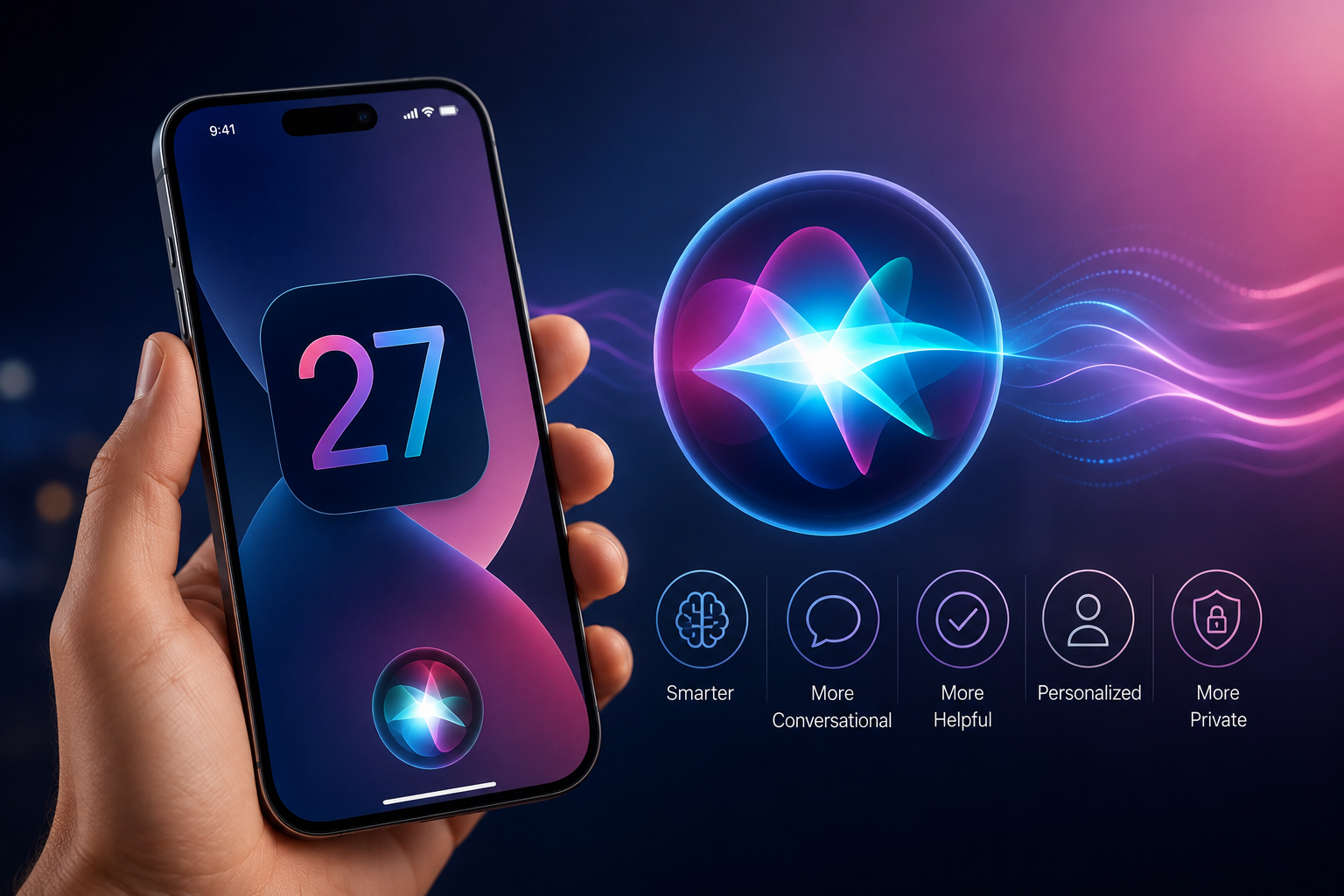
The Siri AI upgrade in iOS 27 transforms Siri from a basic command tool into a full conversational assistant. It now runs on a large language model, has its own dedicated app, understands multi-step requests, and can access your personal context — like emails, calendar, and photos — to give smarter answers.
The old Siri worked like a shortcut menu. You said a command, it ran one action. If the action failed, you started over.
The new version thinks in conversation. You can say something like “remind me about that dentist email when I’m near the clinic tomorrow,” and it actually understands what you mean. It connects the dots between your calendar, location, and inbox on its own.
That shift, from command-based to context-aware, is the real change here.
Why Did Siri Struggle for So Long?
Siri launched in 2011. At the time, it felt like the future. Voice control on a phone was genuinely surprising.
Then everything else moved faster.
As we entered 2022, models such as ChatGPT demonstrated the capability of language models. Siri was still unable to schedule two alerts without confusing itself. The difference between the public expectation and reality continued to widen.
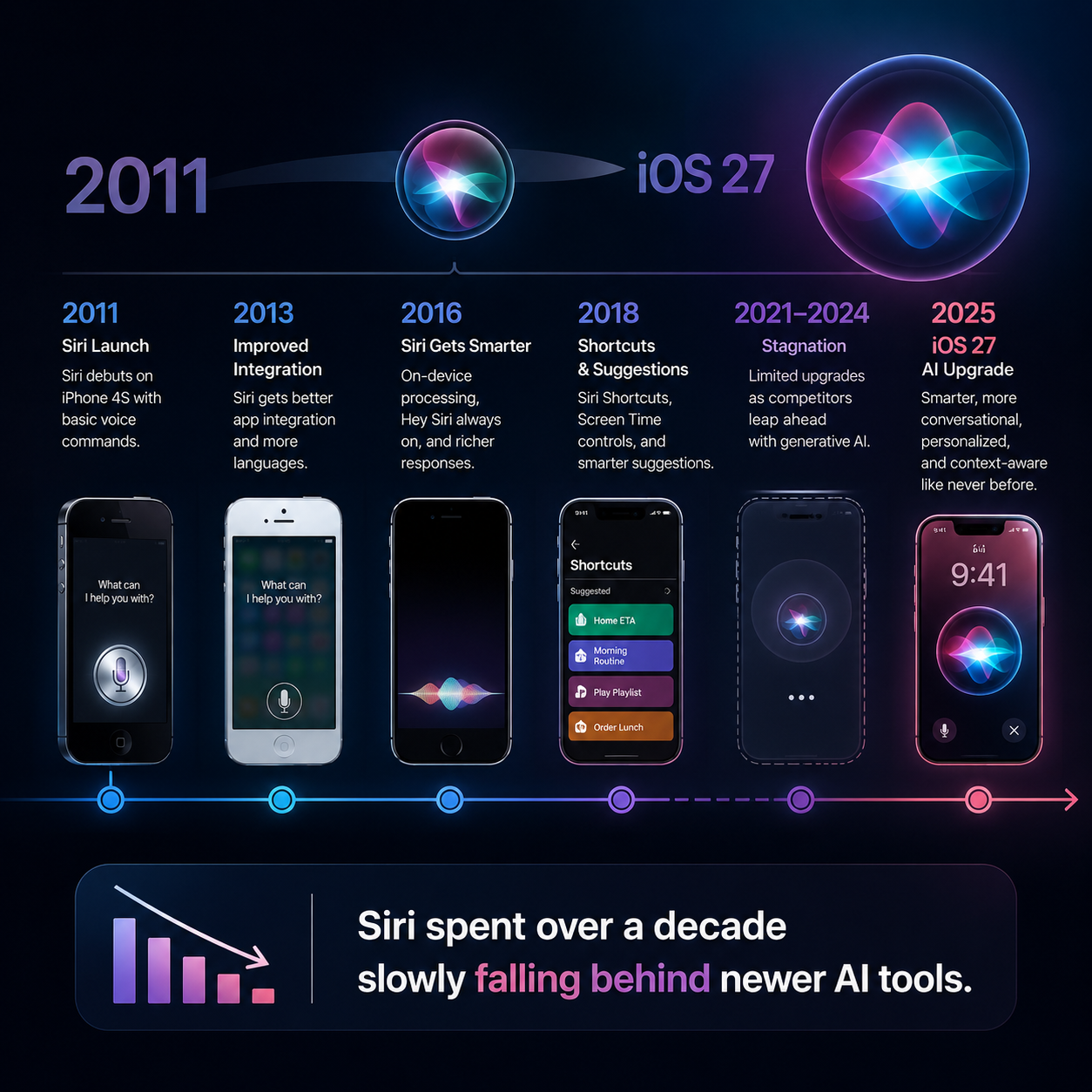
From 2024 to 2025, things only became more apparent. Apple unveiled its plans for a complete Siri redesign; however, it was unable to deliver on time. Promised features were delayed. Investors started asking questions. Reports from Bloomberg noted that the planned AI version of Siri ran into serious technical issues getting out the door.
There were two core problems. First, Siri was built on an older architecture that was hard to upgrade. Second, the company tried to do everything with its own in-house AI models, and those models were not ready to compete.
The short version: Siri needed a reset, not a patch.
How Does the New Siri Actually Work Now?
The engine changed completely. The Siri AI upgrade in iOS 27 runs on large language models, specifically, it uses Google’s Gemini foundational models under the hood.
That might feel odd. A company known for building its own chips and software is using someone else’s AI engine. But the move is practical. Gemini is one of the stronger language models available right now. Rather than wait another two years for a homegrown solution, the decision was made to use what works.
Here is what that means for how Siri behaves:
Before: Siri searched the web and read you a result. Now: Siri understands the question, considers your personal data, and gives you a direct, reasoned answer.
Before: Siri handled one request at a time. Now: Siri handles multi-step requests in a single go.
Before: Siri lived in a bubble at the bottom of your screen. Now: Siri has its own app, sits in the Dynamic Island at the top of your screen, and works inside the Camera app too.
Siri AI Upgrade iOS 27, The New Features Explained
Here is a clear breakdown of what is new:
- Standalone Siri App: Siri now has its own app with a chatbot-style interface. You can type or speak. The conversation stays in a thread, so you can scroll back. It works more like messaging an assistant than pressing a button.
- Dynamic Island Placement: Siri now appears in the Dynamic Island, the small pill-shaped area at the top of newer iPhones. This keeps it accessible without taking over the whole screen.
- New Text Search Bar: Swipe down from the center-top of your screen and a search bar appears. You can type questions or commands there. It is faster than opening the app for quick queries.
- Multi-Step Task Handling: Ask Siri to do several things in one sentence. “Draft an email to my dentist, check my calendar for next Tuesday, and set a reminder for 9am”, it handles all three steps without you having to repeat yourself.
- Camera App Integration: Siri now lives inside the Camera app. Point your camera at a nutrition label and ask about calories. It reads the label and logs the data for you. This is genuinely useful for anyone tracking meals.
- Email Drafting: Siri can write emails on your behalf. Give it context: who you are writing to, what the topic is , and it drafts something you can review and edit before sending.
- Personal context awareness: Siri can access your email, calendar, and photos with your consent to provide you with even more tailored responses. There is also an option to share your personal information in a “context mode”.
What Can You Do With the New Siri That You Couldn’t Before?
Real-world utility beats theoretical features every time. Here’s some real-world utility that you can now enjoy:
- Schedule your day without ever looking down: Say “What do I have tomorrow and is there anything in my emails about it?” Siri checks your calendar and inbox together and gives you a summary.
- Get answers without web results: Follow up on something you’ve already said. Siri will know what you asked in the previous message.
- Draft messages faster: Say “Write a message to my sister saying I’ll be there at 7, mention traffic.” Siri writes it. You tap send.
- Identify things with your camera: Scan a product, a plant, a restaurant menu, or a label. Siri tells you what it is and gives context.
- Control apps in sequence: “Open my photos from last weekend, find the ones at the beach, and share two of them with Raj.” That chain of actions now works in one request.
These are not theoretical. They showed off at the June 8 keynote event held at Apple Park, Cupertino.
Is the New Siri Better Than Other AI Assistants?
To be honest, it depends on what you need.
For natural conversation and creative purposes, standalone AI assistants such as ChatGPT have an advantage. They have been doing this longer and have larger context windows.
Where the new Siri has a real advantage is device integration. None of the existing AI assistants can get access to your smartphone’s applications, camera, and location, which is only possible using a dedicated AI assistant.
That’s the price you pay. Siri’s conversational depth may not match a dedicated chatbot for complex writing or research. But for everyday tasks on your phone- reminders, emails, camera questions, calendar management- the new version is meaningfully better than anything that existed in iOS before.
💡 Think of it this way. ChatGPT lives in a browser or app. Siri lives inside your phone. That difference matters when you need something done fast, without switching apps.
Which Devices Will Get the Full Siri AI Upgrade?
Not every iPhone gets every feature. Here is what to expect: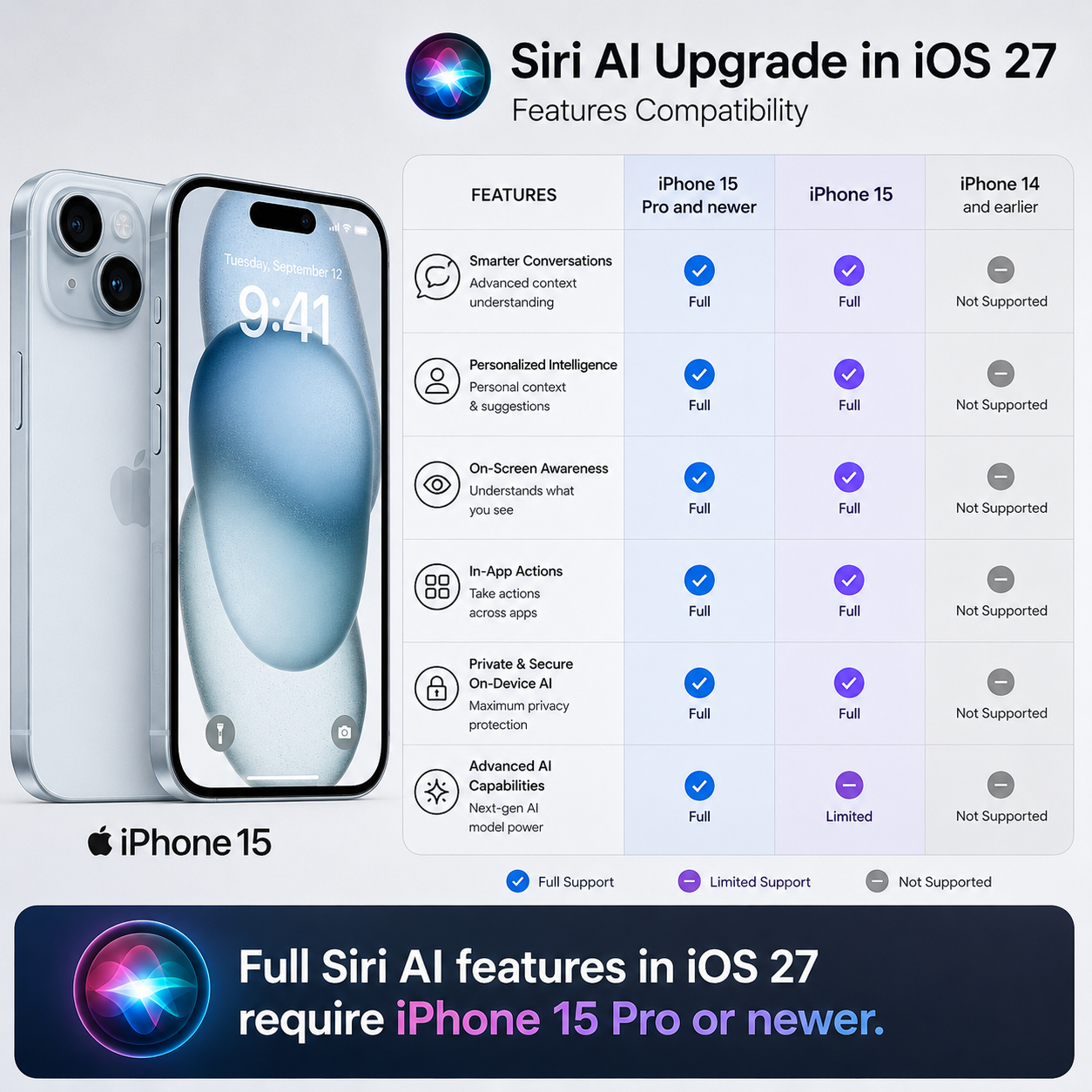
Full AI features (including personal context and multi-step tasks): iPhone 15 Pro and newer. These models have the A17 Pro chip and 8GB of RAM, which are required for on-device processing.
Basic Siri improvements: Available on most iPhones compatible with iOS 27.
Devices likely dropped from iOS 27: iPhone 11 series and the second-generation iPhone SE. These are too old for the new system requirements.
Timeline:
- Developer beta: Available from June 8, 2026
- Public beta: Expected July 2026
- Full public release: September 2026, likely around September 14
If your phone is an iPhone 12, 13, or 14, you will get iOS 27, but some of the deeper AI features may be limited compared to the Pro models.
What Do Analysts and Experts Say About This Change?
This is where it gets interesting beyond the features themselves.
Mark Newman, an analyst at Bernstein, wrote in an investor note that the AI push “presents a huge opportunity to reinvent the company, accelerate product replacement cycles, and drive increased services revenue.” He estimated around 13% upside to earnings per share from an accelerating device replacement cycle alone, with further upside from a potential premium AI subscription tier.
Amit Daryanani from Evercore ISI made a different but equally pointed argument. He wrote that the company does not need to win the frontier AI model race to benefit from AI. The real edge, he said, is distribution, access to roughly 1.25 billion active iPhone users. An AI subscription bundled with iCloud or sold through the App Store could be a significant revenue stream.
These notes were reported in a Yahoo Finance preview of WWDC 2026 published June 7, 2026.
What both analysts agree on: the AI upgrade does not need to be the most technically impressive model in the world. It needs to be good enough for the people already holding an iPhone, and that is a much lower bar to clear.
What Does This Mean for You as a Regular User?
If you stopped trusting Siri to do useful things, this update is worth trying again. The experience is genuinely different.
You will notice it most in small moments. Asking a follow-up question without repeating context. Letting Siri draft something while you are driving. Scanning a label in the grocery store and getting a direct answer.
None of that is flashy. But it is the kind of thing that makes your phone actually feel helpful rather than just capable.
One thing worth knowing: the personal context features are opt-in. Siri will not access your emails or photos without permission. You choose how much access to give. For people who prefer their privacy, this feature ensures that most of the work gets done without sending your data outside your phone.
This is also an example of how this update fits into a larger narrative of device evolution. For more details on what was unveiled during the WWDC 2026 event, including updates on iOS 27, macOS updates, as well as hardware announcements, refer to our Full breakdown article: Apple WWDC 2026: A Closer Look at the Future of Technology.
Frequently Asked Questions
Conclusion
Siri spent about four years being the assistant people joked about. Slow, literal, and easily broken with any complex thought. But Siri’s artificial intelligence update in iOS 27 is the first time when the distance between its capabilities and people’s needs for Siri is closed effectively.
Not that it’s perfect. The conversational depth for complex tasks still trails dedicated AI tools. And not every iPhone gets every feature.
But for the person who just wants their phone to understand them, to handle a chain of tasks, answer a follow-up, draft a quick email, or read a label in the kitchen, the new Siri is genuinely useful in ways the old one never was.
That is what this update is really about. Not winning a benchmark war. Just doing the daily things well.
If you want to see exactly how Siri changed inside iOS 27 step by step, we already broke that down in detail. Read: Siri AI Upgrade in iOS 27 — What Changed